ThatsThem is a free people-search site that pulls from public records and other sources to build a profile around your name, addresses, phone numbers, email, and more. If your listing is showing up in Google, it can lead to unwanted calls, mail, or doxxing risk. The good news: ThatsThem offers a straightforward, self-serve opt-out form—no account required.
Before you dive in, understand what may appear in a ThatsThem profile. Beyond contact information, listings can display property and household data, as well as other inferences—depending on the record. Knowing what’s exposed helps you prepare the exact details you’ll need for removal (matching details matters). (

Privacy rules in the U.S. are evolving. California residents, for example, have rights under the CCPA/CPRA, and a statewide “Delete Act” system (DROP) is slated for launch in 2026 to streamline broker deletions. Regardless of where you live, you can still remove your data from ThatsThem.com today using the steps below.
How do I remove myself from Thatsthem?
Go to thatsthem.com/optout, fill the form with your info exactly as it appears on your listing (name, address, phone, ZIP, state), complete the CAPTCHA, and submit. Repeat for each profile if you have multiple entries. Removals typically process within about 5–7 business days; check back and use Google’s “Remove outdated content” if the result persists in Search.
What Is ThatsThem and why am I listed?

ThatsThem.com is a people search service (a type of data broker) that aggregates public records and other sources into free profiles searchable by name, phone, address, email, or even IP. Profiles can include contact details and other attributes depending on available data.
Data brokers in general collect and publish or sell personal data at scale, which is why your details can surface across many similar sites. Expect to repeat opt-outs across several brokers to keep your footprint down.
Step-by-Step: How to Opt Out of ThatsThem
1) Find and note your exact listing details
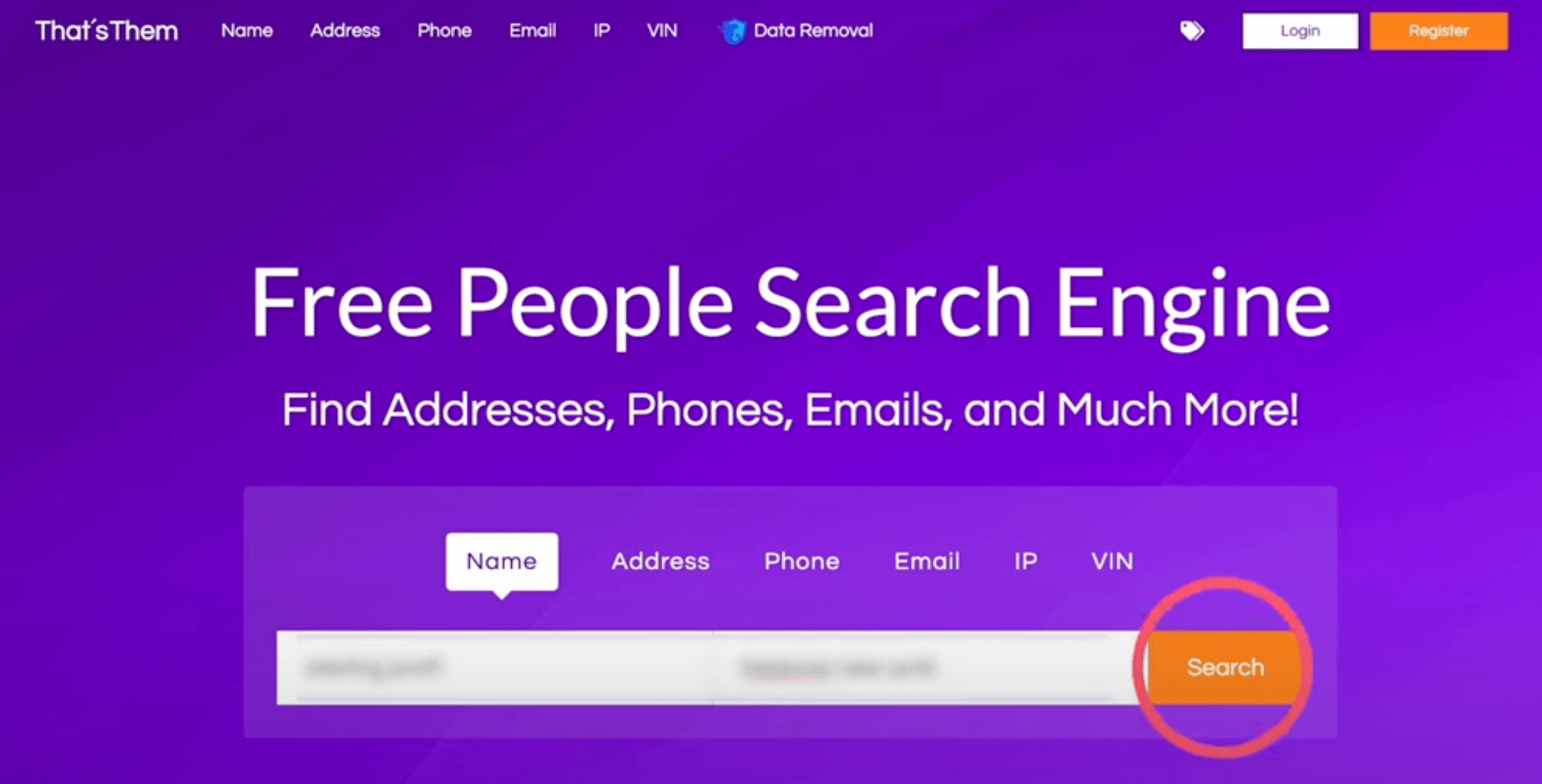
Search your name (optionally add city/state) on ThatsThem.com. Open the correct profile and copy the address and phone exactly as shown—even punctuation. If you see several of your records (old addresses, multiple numbers), keep notes; you’ll submit one form per record.
2) Open the official opt-out page
Go to thatsthem.com/optout. This is the direct portal ThatsThem lists for removals.
3) Complete the form precisely
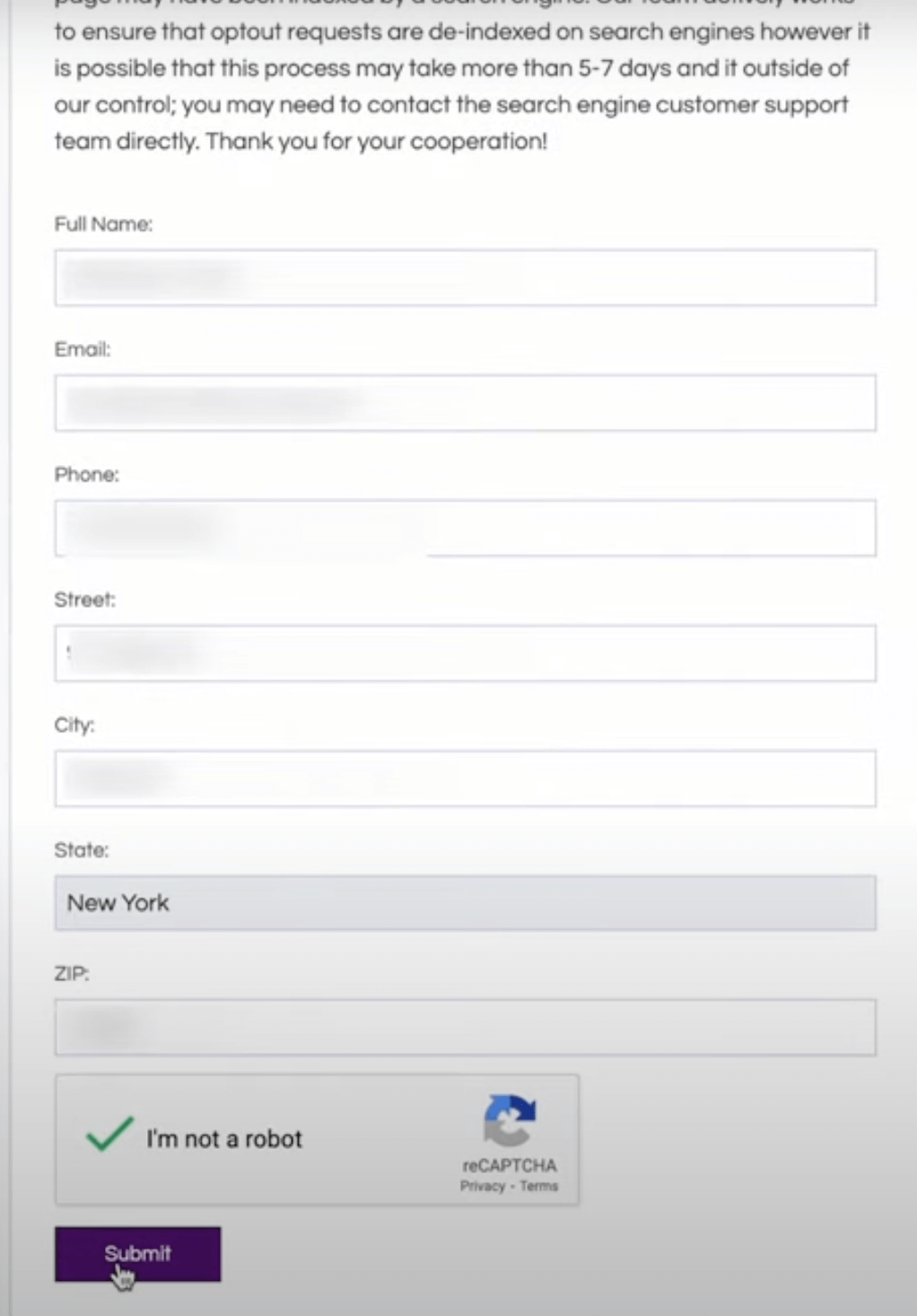
Enter your name, email, phone, street, city, state, and ZIP exactly as the listing shows, solve the CAPTCHA, and submit. You do not need to create an account. If you have multiple profiles, repeat the form for each one. Take a screenshot of the on-screen confirmation.
4) Wait for processing and verify
Allow roughly 5–7 business days. Then re-search your name on ThatsThem. If the listing is gone but a stale result lingers on Google, use Google’s Remove Outdated Content/“Results about you” tools to update Search.
Troubleshooting: If Your Opt-Out Doesn’t Stick
- The form errors or doesn’t match my record: Re-enter details exactly as shown on the profile (street abbreviations, unit, formatting). Try a different browser if the CAPTCHA loops. Guides consistently note that matching the exposed details is key.
- Multiple listings: Submit one form per record (old addresses and alternate numbers count as separate records).
- No email confirmation: ThatsThem generally confirms on-screen; monitor the listing instead of waiting for an email.
- Still listed after a week: Re-submit, then contact their published email (info@ThatsThem.com) or, if needed, the phone number the BBB lists for the business; email/form is typically preferred.
- Shows in Google but not on the site: Use Google’s Outdated Content request to purge the cached snippet, or use Google’s “Results about you” removal flow (US availability).
It’s possible for new or changed records to appear again over time as brokers refresh data. Periodically re-check and repeat the opt-out if needed. Consider tackling other major data brokers too so your info doesn’t get republished elsewhere and re-indexed.
Clean Up Your Google Results (Optional but Recommended)
After ThatsThem removes your listing, go the extra mile:
- Request removal of outdated results: Use Google’s tool to clear dead or changed pages from search. (woorkup)
- Use “Results about you”: Google’s privacy feature lets you monitor for exposed phone numbers, addresses, and emails and file removal requests more easily (available in the U.S.). (The Verge)
Your Privacy Rights
- CCPA/CPRA (California): Gives residents rights to access, delete, and opt out of sale/sharing of personal info. Even outside CA, many brokers honor similar requests nationwide.
- Delete Act (California): A centralized deletion mechanism (DROP) is slated for 2026, designed to submit a single deletion request to all registered brokers. Keep an eye on this rollout to simplify future removals.
Copy-Paste Email Template (If You Need to Follow Up)
Subject: Opt-Out / Deletion Request – ThatsThem
Hello,
I’m requesting removal of my personal information from ThatsThem.
Name: [Your Full Name]
Addresses shown: [All as displayed on profile(s)]
Phone(s) shown: [Numbers as displayed]
Profile link(s): [If applicable]
I’m requesting deletion and to opt out of sale/sharing of my data. Please confirm when the removal is complete.
Thank you,
[Your Name]
[Preferred email]
Use info@ThatsThem.com and include the exact details from your listing for fastest matches.
Pro Tips for a Cleaner Footprint
- Match formatting exactly. Abbreviations and unit numbers matter for the form.
- Track submissions. Keep screenshots and set a reminder to re-check in a week.
- Expand beyond one site. After ThatsThem, work through other major brokers (Whitepages, Spokeo, BeenVerified, etc.) using DIY guides from reputable privacy orgs.
FAQs: ThatsThem Opt-Out
Do I need an ThatsThem account to remove my info?
No. You use a public opt-out form—no login required.
How long does ThatsThem removal take?
Commonly 5–7 business days; verify by re-searching your name on the site.
Can I opt out from ThatsThem without email?
The form asks for an email. If you prefer, use a dedicated or disposable address for privacy; many guides recommend this practice.
Does ThatsThem ask for ID?
The standard form does not request ID. If you escalate by email, they might ask for additional info to verify the request matches the right person. (Use the official email or form.)
What is the ThatsThem Opt-Out Phone number?
ThatsThem doesn’t prominently list a phone number on its site. The BBB profile shows (240) 498-9877 for the business; email/form tends to be more reliable.