Removing your personal information from PeopleLooker is a powerful yet often overlooked step toward safeguarding your privacy. This blog post walks you through a human-friendly, step-by-step process—not just to remove your listing, but also to minimize the chance of it resurfacing later.
You’ll learn when and how removal requests are processed, how to address issues like denied or reappearing listings, plus easy-to-use email templates and follow-up tactics. Whether you’re new to privacy protection or already familiar with online reputation management, this guide delivers clarity and confidence.

How do I opt out of PeopleLooker?
To opt out of PeopleLooker in the U.S., visit PeopleLooker.com and click the “Do Not Sell My Personal Information” link in the footer. You’ll be redirected to BeenVerified, where you search for your listing, submit your email and CAPTCHA, and click the confirmation link sent via email. Your record typically vanishes within 24 hours, though delays up to 15 business days are possible.
What is PeopleLooker?
PeopleLooker is a data broker website that gathers and shares information from millions of public records. By searching a name, phone number, email, or physical address, anyone can uncover a wide range of personal details. This may include family connections, photos, education history, criminal records, job information, death records, traffic violations, contact details, social media accounts, and even online usernames.
While this can be useful for background checks or reconnecting with someone, it also raises serious privacy concerns. Having your personal information available on sites like PeopleLooker means strangers can access details about your life that you may prefer to keep private.

If you want to protect your privacy and prevent your information from being easily found, the best step is to opt out. Luckily, PeopleLooker allows individuals to remove their data. You can follow a simple step-by-step guide on how to opt out of PeopleLooker and make sure your personal details are no longer visible to the public.
How do I Opt Out of PeopleLooker.Com Manually?
PeopleLooker data removal process is quite easy, you can do it online for free by following these simple easy steps:
1. Visit peoplelooker.com, scroll to the footer, and click “Do Not Sell My Personal Information.”
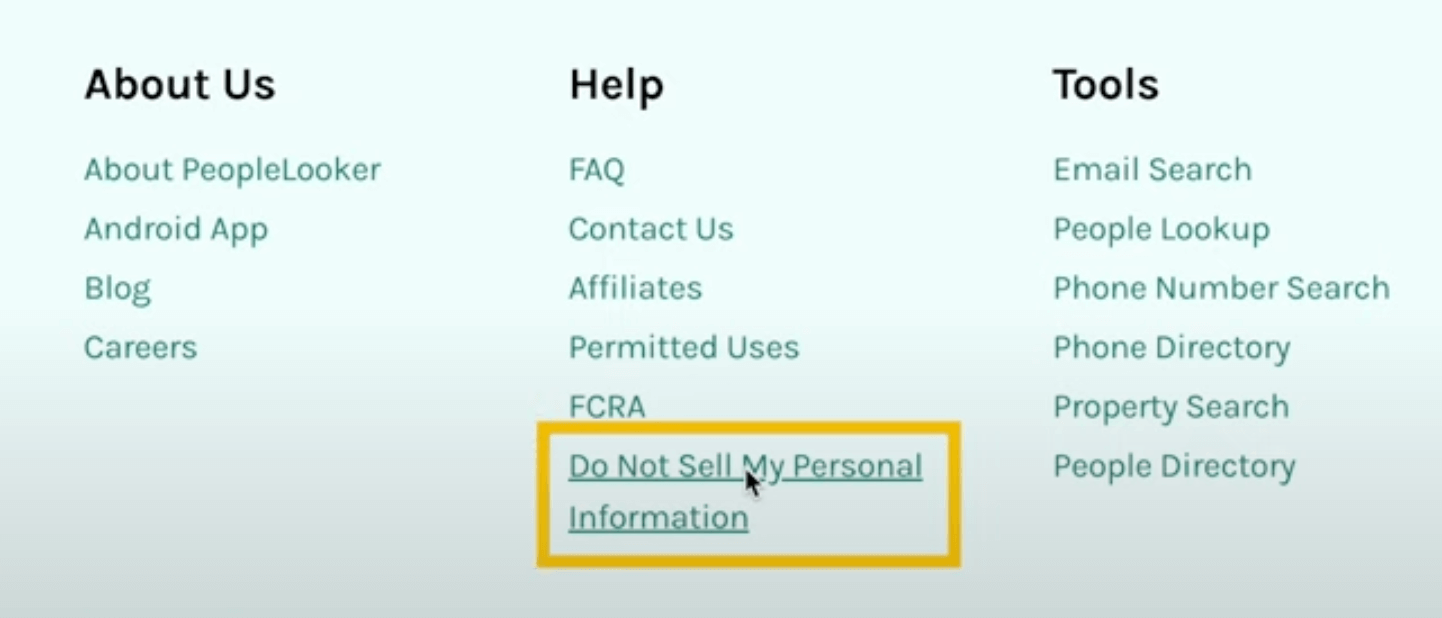
2. You’ll be redirected to BeenVerified’s opt-out page—click “Do Not Sell My Info.”
3. Enter your full name and state to find your listing.
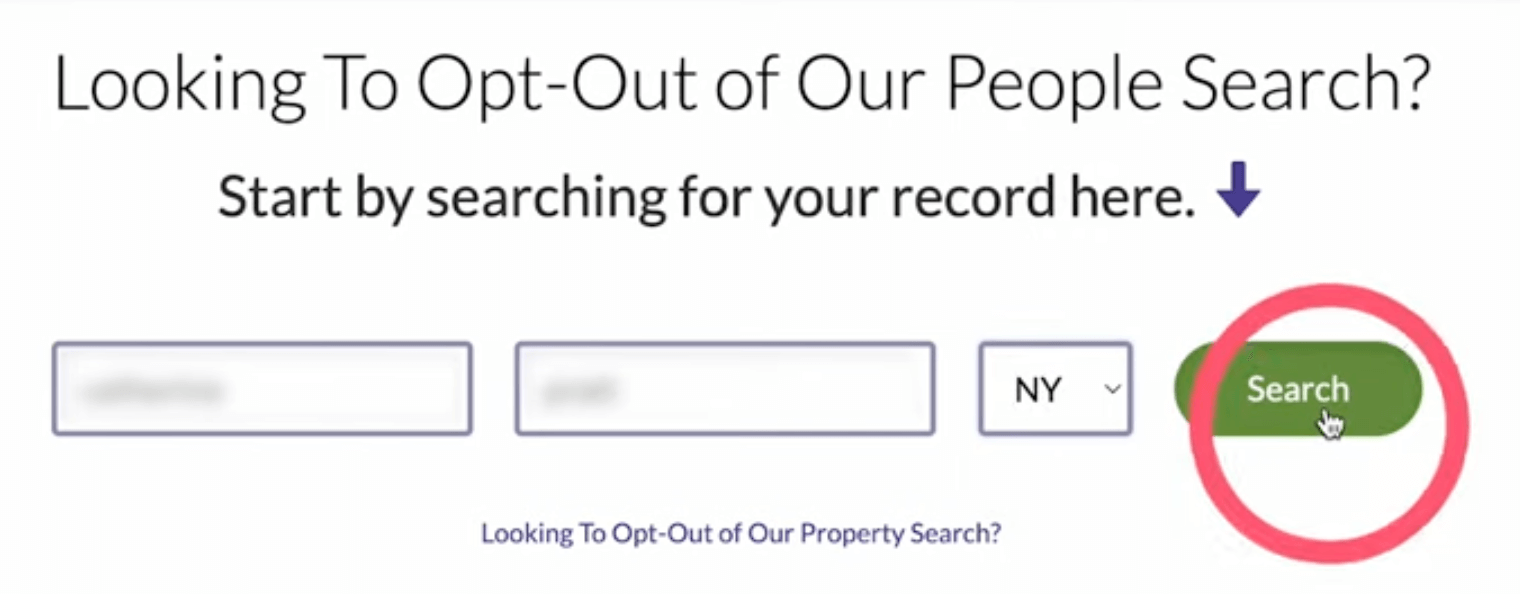
4. Select your listing and click “Proceed to Opt Out.”
5. Submit an email address (ideally disposable) and complete the CAPTCHA.
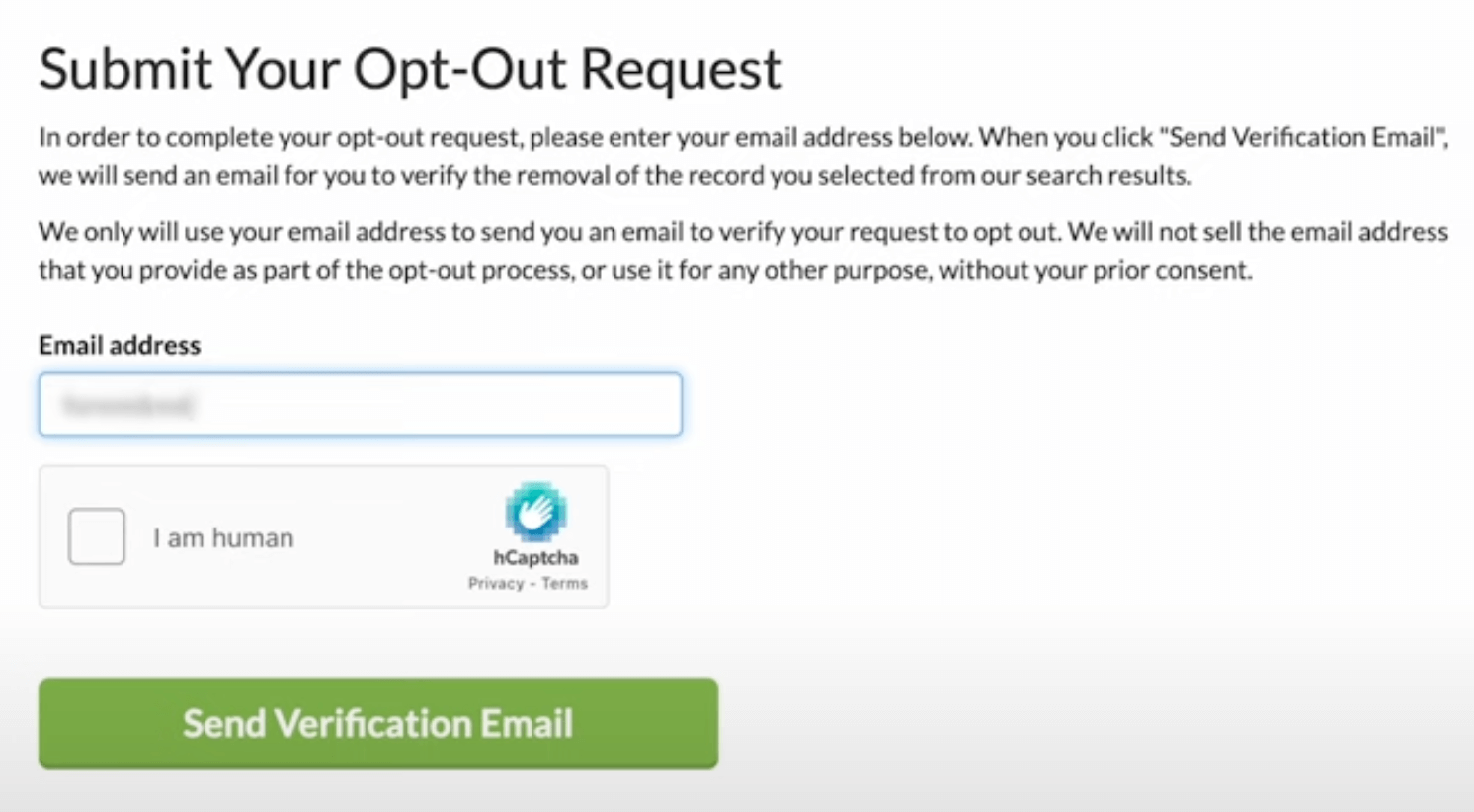
6. Confirm removal by clicking the link in the verification email. Processing may take 24 hours to 15 business days.
What to Do If Opt-Out Fails or Is Denied
- Use alternate contact methods: email privacy@beenverified.com, support email, or the CCPA-specific email if you’re in California.
- Include identifiers like aliases, old addresses, or misspellings in your request to improve accuracy.
- Reminder: everyone must opt out of each data broker individually.
Avoiding Re-indexing
Content may reappear because PeopleLooker (and similar sites) regularly harvest new public or private data sources. To minimize reappearance:
- Periodic checks: resubmit opt-out requests if your listing returns.
- Automated solutions: services like OneRep or Incogni scan and opt out repeatedly on your behalf—handy if you don’t want to track everything manually.
Readymade Email Template for PeopleLooker Opt-Out Requests
Subject: Remove My Name from PeopleLooker – Opt-Out Request
Hello,
My name is [Full Name]. I request that all information associated with me be removed from PeopleLooker and BeenVerified’s public search listings. Please confirm when the removal is complete or notify me if additional steps are needed.
Details to locate my record:
– Full Name (including common variations): [e.g., John A. Smith, J. Smith]
– Addresses (past and present): [List addresses]
– Phone Numbers: [List numbers if listed]
– Email: [Disposable email used for this request]
Thank you for your assistance.
Sincerely,
[Your Name]
[Date]
Addressing Common Concerns
- Processing Speed: Most opt-outs complete within 24 hours, but some sites take longer—expect possible delays.
- Persistent Listings: Use the same approach to tackle multiple or duplicate listings—contact support if the form fails.
- Legal Rights: Under CCPA or other U.S. privacy laws, you may assert the right to removal if automated options fail.
FAQs about PeopleLooker Data Removal
How long does PeopleLooker take to remove my info?
Most removals complete within 24 hours, but in some cases it can take up to 15 business days, depending on volume or verifications.
Why does my profile reappear after opt-out?
PeopleLooker routinely re-scrapes data from public records or third-party sources. Listings can re-surface unless regularly removed.
What if my opt-out request gets denied or doesn’t complete?
Reach out directly via privacy@beenverified.com
or PeopleLooker support, and include multiple identifiers for accuracy. Use the email template above for clarity.
Are there services that handle opt-out for me?
Yes—tools like OneRep or Incogni will automatically locate and re-remove listings continuously, saving you the manual effort.
Can I completely erase my digital footprint?
Completely removing every trace is nearly impossible. However, frequently managing opt-outs across data brokers significantly reduces your visibility.
Taking control of your online privacy begins with small but important steps—one of them is opting out of sites like PeopleLooker. By following the right process, you can have your personal records removed and reduce the chances of your information showing up again in the future.
You have two main options when it comes to opting out: you can go through the manual process yourself or use an automated data removal service that handles it for you. No matter which method you choose, the most important thing is to take action now rather than put it off.