If you’ve ever typed your name into Google and found your personal details on a site like PeekYou.com, you’re definitely not alone. In today’s digital age, it’s alarmingly easy for your private information—things like old addresses, social media links, or even details you’d rather forget—to end up on public people-search websites. While these platforms claim to be helpful, for most of us, it feels more like an invasion of privacy.
The good news is, you can take control. You can take steps to remove your information from PeekYou, and this guide will walk you through the entire opt-out process. From locating your profile to making sure your removal request is successful, we’ll cover it all—including what to do if the opt-out doesn’t seem to work at first. By the end, you’ll know exactly how to opt out of PeekYou in 2025.

How to opt out of PeekYou
Go to PeekYou.com, search for your profile, open the correct record, and copy its URL. Then visit PeekYou’s opt-out page, paste the URL into the form, and submit your request. Finally, confirm the removal through the email sent to you.
What is PeekYou and Why Does It Matter?
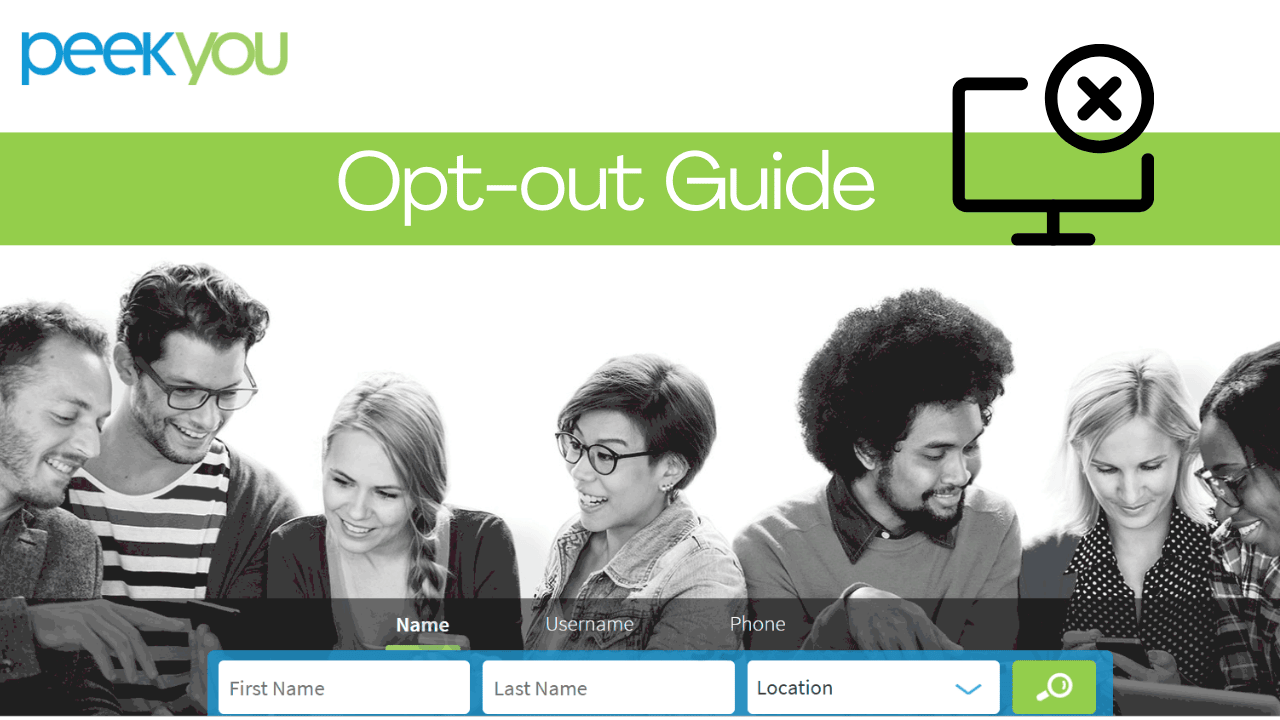
PeekYou.com is a data broker site, also known as a people-search website. It works by gathering publicly available information from all over the internet—social media platforms, public records, blogs, news sites, and more—and packaging it into an individual profile. Think of it as a digital scrapbook of your online footprint, but one that you never agreed to make.
The real issue? The profiles often include details you’d prefer to keep private, such as:
- Old and current addresses
- Phone numbers and email addresses
- Social media accounts (even ones you thought were private)
- Family members and associates
- Employment history and education background
Having all of this in one place makes it incredibly easy for anyone—strangers, scammers, or even cybercriminals—to access personal details about you. That can open the door to identity theft, harassment, spam, or just unwanted attention. This is exactly why opting out of PeekYou is such an important step. By removing your profile, you reduce the risks and take back control of your digital privacy.
Step-by-Step Guide: How to Opt Out of PeekYou
1. Search for Your Profile
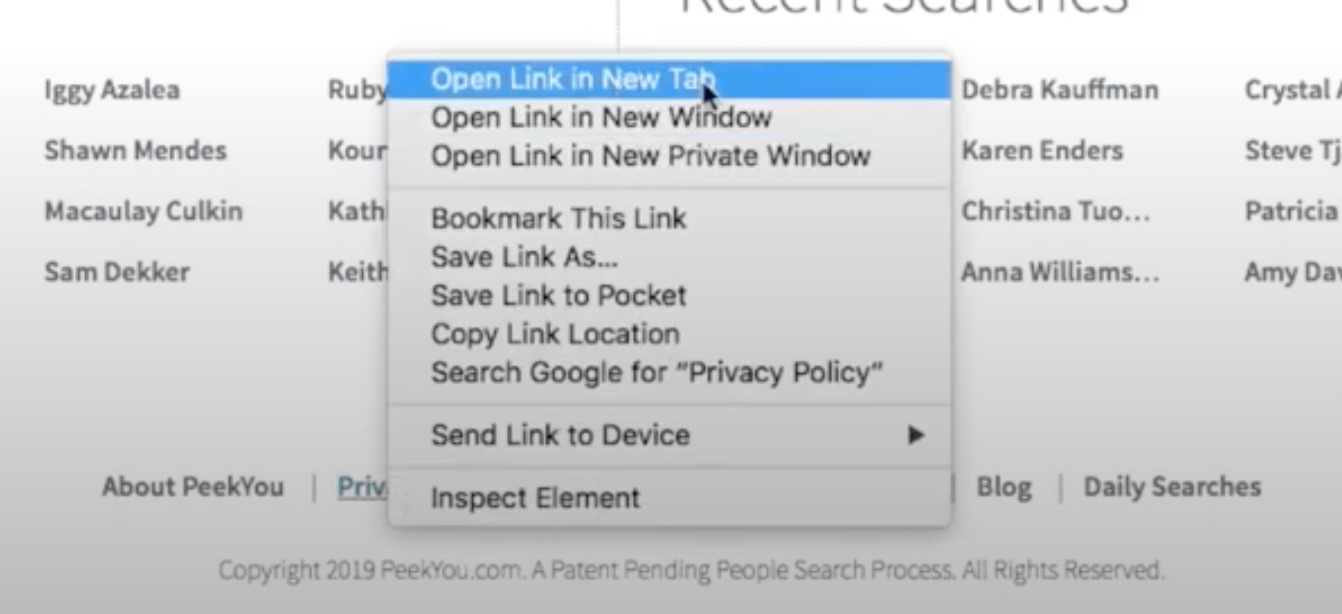
- Go to PeekYou.com
- Enter your full name and location
- Browse through the results until you find your profile
2. Copy Your Profile URL
Each PeekYou profile has its own unique link. Copy the URL of the page you want removed.
3. Visit the PeekYou Opt-Out Page
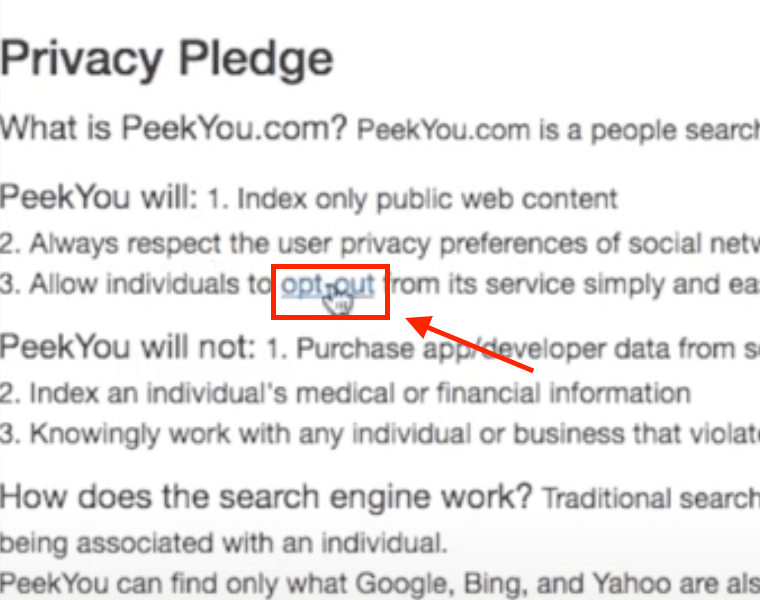
- Go to the official PeekYou opt-out page.
- Paste your profile URL into the provided form.
4. Fill Out the Removal Request
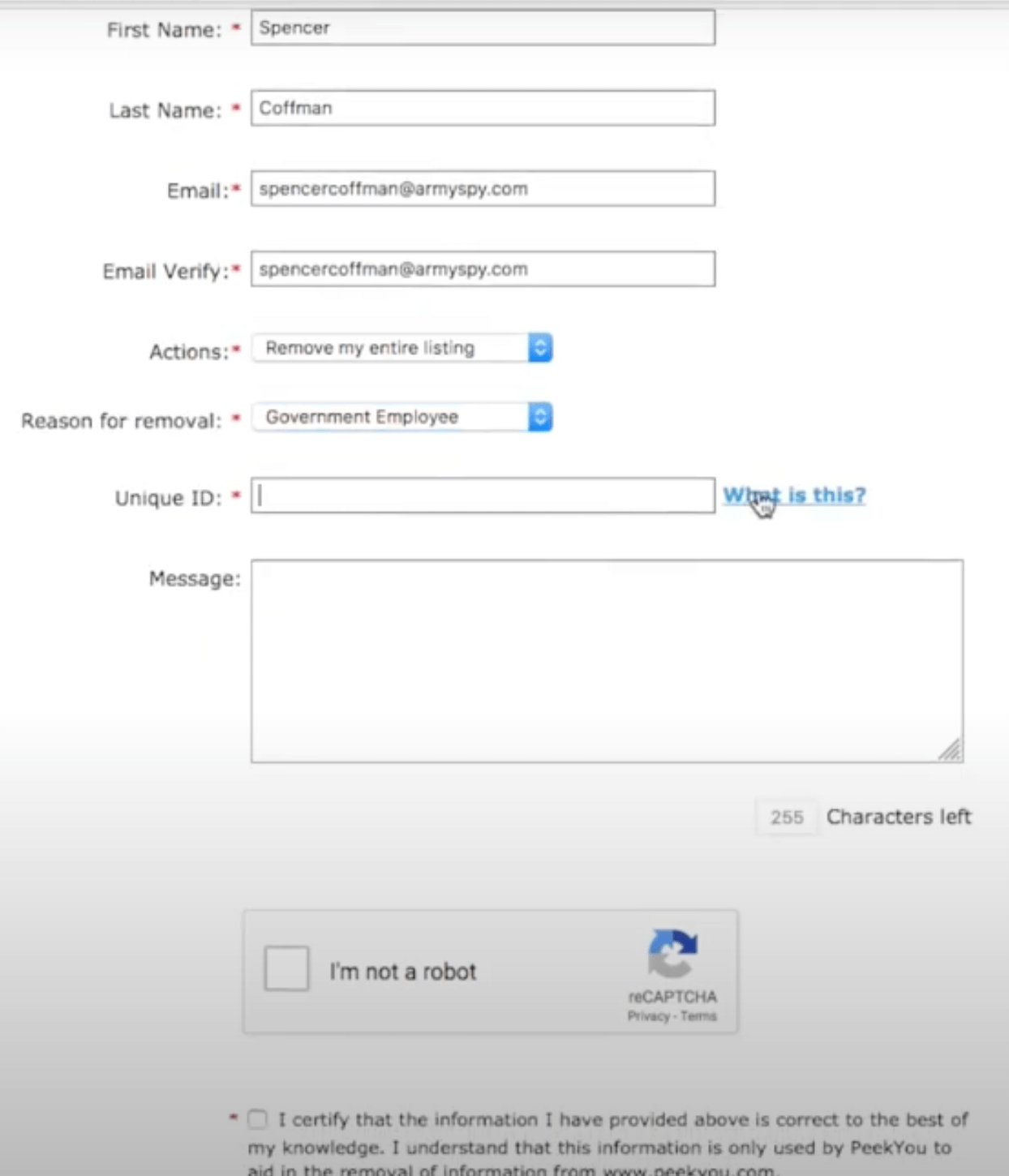
- Enter your name and email address (PeekYou will send confirmation to this email).
- Confirm that you are requesting removal of your own profile.
5. Verify Your Request
- Open the confirmation email from PeekYou.
- Click the link inside to verify your removal request.
6. Wait for Processing
PeekYou usually processes removal requests within a few days. You’ll receive an email once your profile is deleted.
What to Do If PeekYou Removal is Not Working
Sometimes, the process isn’t as smooth as we’d like. If your PeekYou removal not working, here are some common issues and their solutions:
- The Profile Reappears: This is a common frustration. PeekYou gets its data from many sources. Even if they remove your profile, new information from an old source might repopulate it. The solution? Be persistent. Set a reminder to recheck the site every few months. If your profile reappears, simply resubmit the opt-out request.
- Multiple Profiles: Did you find more than one profile with your name? It’s not uncommon, especially if you have a common name or have lived in different states. You must submit a separate opt-out request for every single profile you want to remove.
- CAPTCHA Issues: Sometimes the CAPTCHA is buggy. Try refreshing the page or using a different web browser.
- No Confirmation Email: If you don’t receive the email, double-check your spam folder. If it’s still not there, you may have made a typo in your email address. In that case, you’ll need to resubmit the form.
If all else fails, you can contact PeekYou’s support team directly. Their contact email can sometimes be found on their website, and sending a polite but firm request with all your details can sometimes help expedite the process.
Privacy Strategy for Future
A delete profile PeekYou request is a fantastic start, but it’s just one piece of a much larger puzzle. To truly protect your privacy, you should consider a broader strategy.
- Audit Your Online Presence: Regularly search for your name on Google and other search engines to see what information is publicly available.
- Opt Out of Other Data Brokers: PeekYou is just one of many data brokers. Others, like Spokeo, Whitepages, and MyLife, also sell your information. You’ll need to go through a similar opt-out process for each of them.
- Secure Your Social Media: Review your privacy settings on all social media accounts. Make sure your profiles are set to private and that you’re not sharing personal information you don’t want the world to see.
- Use a Data Removal Service: If the thought of manually removing your information from dozens of sites is overwhelming, you can use a professional data removal service. These services automate the opt-out process for you, though they do come at a cost.
FAQs About PeekYou Opt-Out
Is removing my profile from PeekYou permanent?
Not always. Databases may refresh, so you should monitor your presence regularly.
Does PeekYou charge a fee to remove my profile?
No, the opt-out process is free.
How long does it take for my PeekYou profile to disappear?
Usually within a few days, but in some cases it can take up to two weeks.
Can I remove multiple listings?
Yes. If you find multiple profiles, repeat the process for each one.
The thought of your personal information floating around online can be unsettling. But as you’ve just learned, you’re not powerless. By following these clear, actionable steps, you can successfully submit a PeekYou opt out request and make a significant dent in your digital footprint.
Your online privacy is worth protecting. Taking the time to remove listing PeekYou and other data brokers is an empowering move that gives you back control over your personal data.